The NPCNarrator Discord bot lets a tabletop group talk to the active NPC. Discord is paired from the GM Console for the open instance. The bot joins one voice channel, plays NPC audio there, and can post a transcript. You need permission to invite a bot to the server.
1. Choose Discord voice
In GM Console → Prepare → Table, choose Discord voice. That saves campaign audio output to Discord. You do not need a separate Setup tab.
2. Install and pair
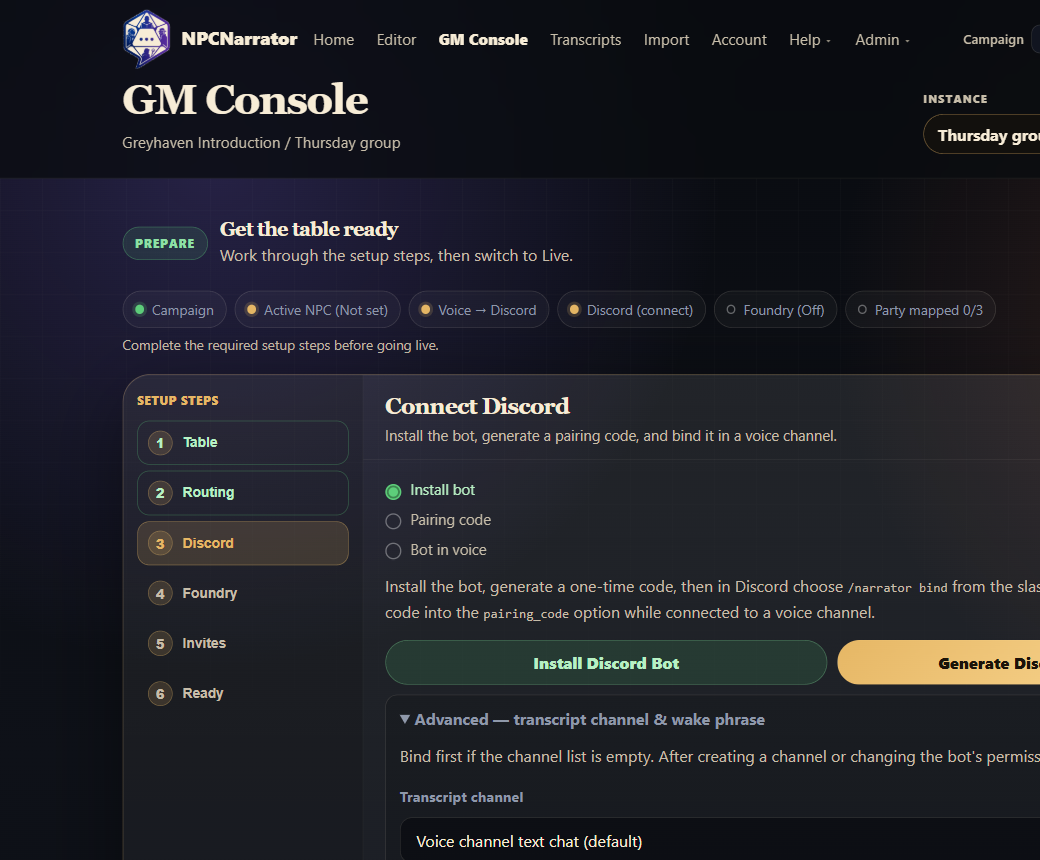
- On the Discord step, click Install Discord Bot and authorize it on your server (voice and slash commands).
- Click Generate Discord Pairing Code. Copy the code. It expires after a short window, about 30 minutes. Click the code to copy it again.
- In Discord, join the voice channel where the table will listen.
- Run
/narrator bindand paste the code into the pairing code option. - The checklist should reach Bot in voice. On Ready, At the table now lists a Discord row.
3. Transcript channel and wake phrase
Open Advanced — transcript channel & wake phrase.
- Transcript channel defaults to Voice channel text chat (default). Pick another channel if you want the log elsewhere. If the list is empty, bind first, then Refresh channels. The bot reports channels about once a minute.
- Wake phrase defaults to
npc narratorwhen the field is blank. Two ordinary words transcribe more reliably than an invented name. - Click Save Discord Settings.
4. Map players
Discord only treats a speaker as a party member when that Discord account is mapped.
- In the Editor → Parties → Discord mapping, set Discord user ID for each member. Save the party.
- Or, in the bound voice channel, the player runs
/narrator claimand picks their character./narrator partyshows who is claimed./narrator rosterlists display names and Discord user ids currently in the channel.
On Ready → Who's who, a mapped player shows Mapped ✓. An unmapped one shows /narrator claim.
5. Talk at the table
Select an NPC in the GM Console. With audio output on Discord, that NPC’s voice plays in the bound channel. Captions are delivered to the Discord bridge even when web text output is off.
- Text: in the bound channel, start the message with the wake phrase. The default accepts
npcnarrator,npc narrator, andnpc-narrator.
npcnarrator Who owns the docks?
- Voice: say the wake phrase, then the question. Saying only the wake phrase arms the next thing you say for a few seconds. Unmapped speakers are ignored.
- Whisper: a player can DM the bot. That reply is text only. It is not spoken in the voice channel.
Commands
/narrator help— bind and talk overview/narrator bind— bind the voice channel you are in/narrator unbind— disconnect and clear the binding for this server/narrator status— binding and voice status/narrator claim— map yourself to a party character/narrator party— list characters and who claimed them/narrator roster— names and Discord user ids in the bound voice channel