Foundry VTT v13 or v14 can pair a world to your campaign so players chat or whisper NPCs from the map, and replies land in Foundry chat. VTT has to be on the plan. If Foundry + Discord is missing from the GM Console, check Account or contact support.
Voice follows the campaign audio setting. A common table is Foundry for the map and Discord for speech. Captions are always sent to a bound Foundry bridge, even when web text output is off.
1. Install the module
In Foundry Setup → Add-on Modules → Install Module, paste:
https://github.com/discgolferusa/NPC-Narrator-Foundry-Module/releases/latest/download/module.json
Or download module.zip and unzip it so you have Data/modules/npc-narrator/module.json.
- Enable NPC Narrator for the world.
- Open Configure Settings → Module Settings → NPC Narrator.
- Yaml Editor base URL defaults to
https://www.npcnarrator.com. Change it only if you self-host.
2. Pair the world
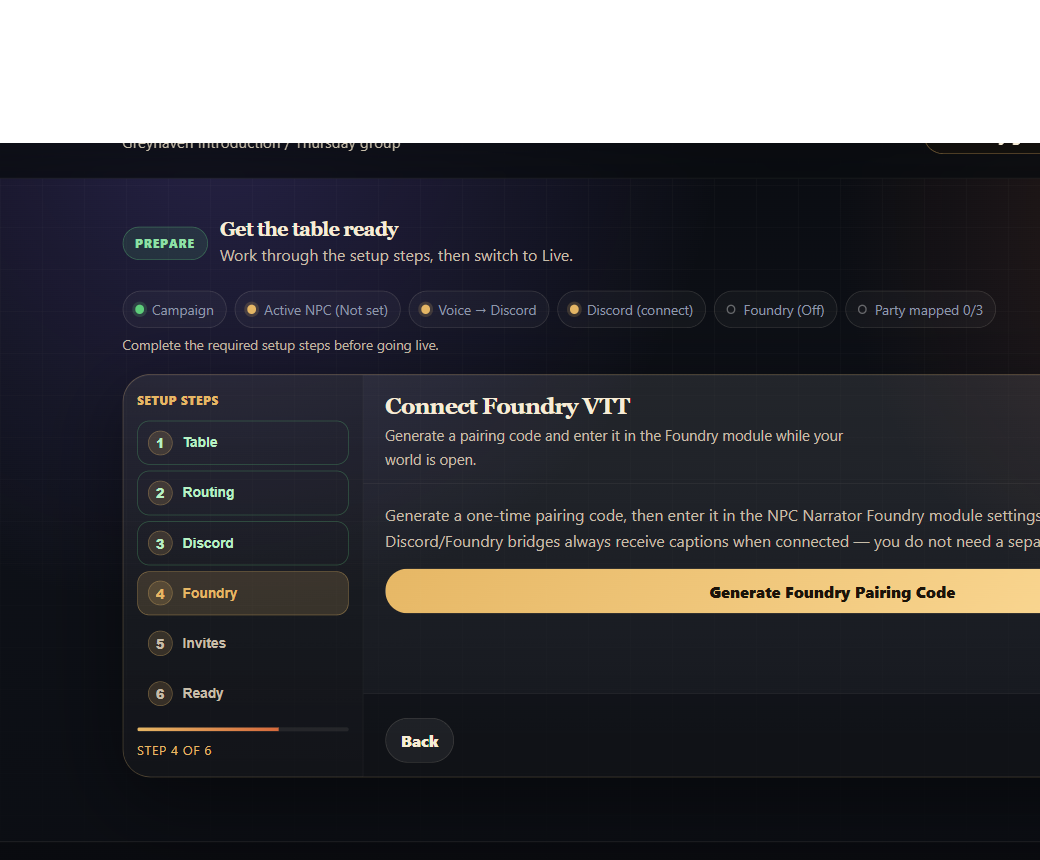
- In GM Console → Prepare → Table, choose Foundry + Discord or Custom so the Foundry step is in the wizard.
- On Foundry, click Generate Foundry Pairing Code and copy it. It expires after a short window, about 30 minutes.
- In Foundry, open Module Settings → Campaign pairing → Bind / Unbind, and paste the code. GMs can also run
/narrator bind. - Back in the GM Console, At the table now should list Foundry. The instance can show that VTT is linked.
3. Map actors
As GM, open an actor sheet and use the NPC Narrator header button, or right-click the actor in the Actor Directory and map it. Map party members and Narrator NPCs.
After a talking portrait is assigned in the Editor, use Sync Narrator portrait on the actor so Foundry uses the same closed-mouth still.
While the world is bound, optional create-only wizards are Create Narrator NPC on an actor and Create Narrator Location on a scene. Those write into the campaign. Finish voices and portraits in the Editor afterward.
4. Players map a character
- Open your character sheet → NPC Narrator and choose the party member, or
- Run
/narrator character(uses the assigned character or the selected token).
5. Talk to NPCs
- Hover the NPC token. Targeting alone is optional.
- Right-click → Chat or Whisper.
- Chat posts the player line and the Narrator or NPC reply into the global Foundry chat log.
- Whisper stays with the sender and the GMs.
- Also:
/narrator chatand/narrator whisper, or Alt+C and Alt+W (change them under Configure Controls).
The GM still picks the active NPC and answers checks in the GM Console. Foundry is how players reach that NPC from the map.
Import a world
Module Settings → Import world → Import into Narrator… sends journals, actors, and scenes into the same review as a document import. Choose a new campaign or merge into the bound one. See Importing a campaign.
Commands
/narrator bind— open the bind dialog (GM)/narrator character— map the assigned or selected actor/narrator chatand/narrator whisper— talk to the targeted or hovered NPC/narrator status— whether this world is bound