The Editor is where the world is written. The header Campaign menu chooses which world you are editing. The GM Console plays that world. It does not replace this page.
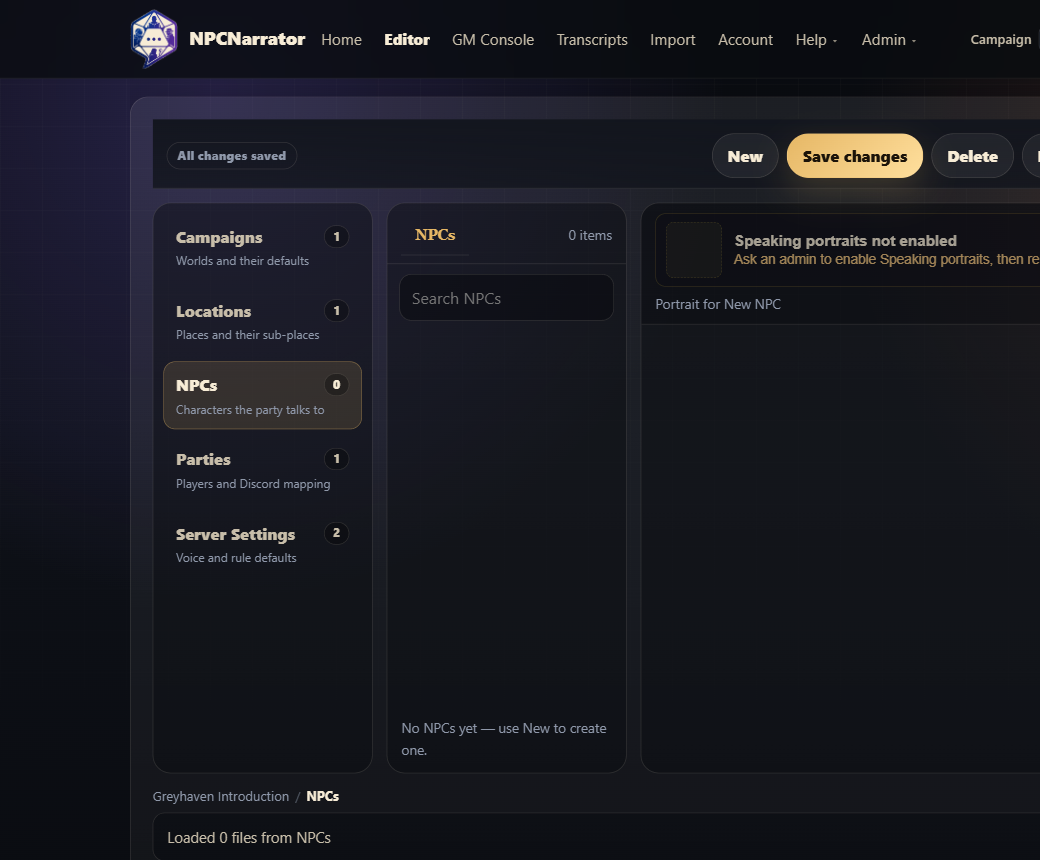
Folders
- Campaigns — name, description, genre, and RPG system for each world.
- Locations — places, sub-places, and ambient audio.
- NPCs — characters the party talks to.
- Parties — player characters and Discord user ids. A campaign has one party. New stays disabled after that party exists.
- Server Settings — narrator voice and rule defaults (
tts.yamlandllm_rules.yaml). Those files cannot be deleted.
NPCs, locations, and parties need a campaign selected. If you have none yet, the Editor opens Campaigns and tells you to click New.
Save
The badge reads Unsaved changes until you click Save changes or press Ctrl+S. There is no autosave. Switching files, folders, or campaigns asks Save changes to "…" before continuing? with Yes, No, and Cancel. Leaving the page with unsaved work also warns you.
A successful save shows Save successful. Refresh reloads the file list. It does not write your draft. Delete asks you to confirm. Deleting a campaign can also remove its NPCs, locations, and party.
Create a campaign
- Open Campaigns and click New.
- Fill Name, Description, Genre (Fantasy, Sci-Fi, Modern, Horror, or Other), and Rpg System.
- Click Save changes. The new campaign becomes the one selected in the header.
Genre keeps later replies in that setting: tone, technology, magic, and creatures.
Create an NPC
Open NPCs, click New, and walk the wizard. The steps are Basics, Speaking style, Spoken voice, Personality, Public facts, Known facts, Secrets, Behavior rules, DM Checks, and Review. Name is required. Back, Skip, and Next move between steps. Save changes on Review writes the file.
Spoken voice and the portrait control are covered in Voices and speaking portraits. Assigning a voice in the dialog still needs Save changes before it is on disk.
DM Checks on the NPC are the rules for when the model should pause and ask you. During play you answer those on the GM Console Checks tab. See Using the GM Console.
The row menu (···) can Duplicate, Delete, or Test NPC reply…. A test reply is spoken in this browser only and counts against the monthly message limit.
Locations and the party
A location wizard covers Basics, Summary, Local tone, Current events, Sub-places, Rumors, Knowledge rules, and Review. Use Add Audio on Basics or on a sub-place when you want a bed for that place.
The party wizard covers Party name, Members (name, race, class), and Discord user ID on the Discord mapping step. That id is how Discord knows who is speaking. Players can also claim a character in voice. See Syncing to Discord.